Choose Preview or Production users

On this page
A project has two apps. Preview is the app you develop and try. Production is the published site your audience uses. The Users view manages one of them at a time, and everything in it follows your choice.
-
Open the project and choose Users. The panel is titled “Project Users”.
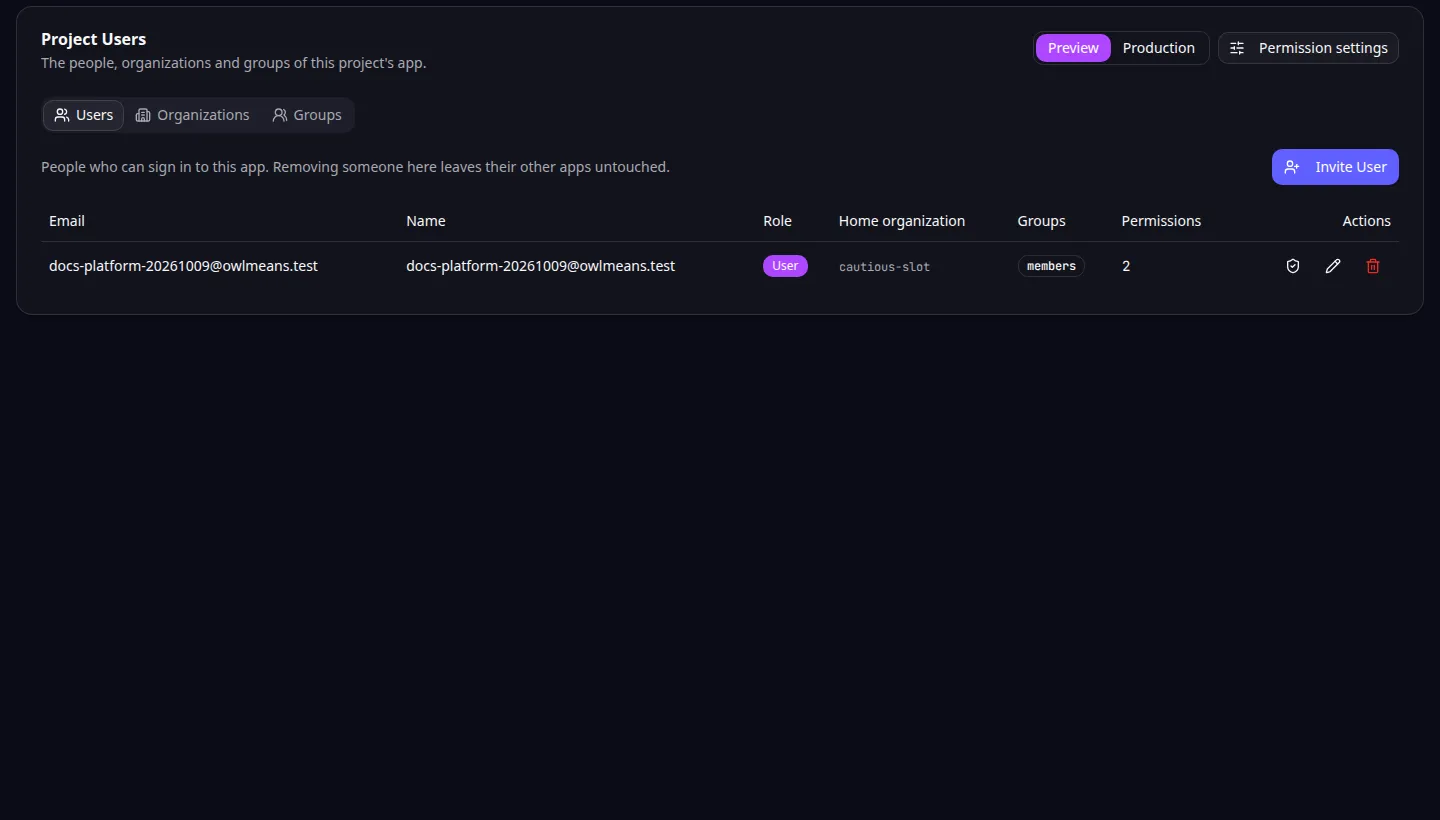
Project users: the Preview and Production buttons choose which app you manage. -
Use the Preview and Production buttons at the top right to pick the app. Preview is selected when you open the view.
-
Work in the tabs below: Users, Organizations and Groups.
-
Switch to the other app and compare. Any open dialog closes when you switch, because a person, organization or group of one app is not one of the other.
Each app has its own:
- people, with their own sign-in history
- organizations and their members
- groups
- granted permissions
- permission settings, opened with Permission settings
Changing something in Preview does not change Production, and the reverse. Production users appear after real people sign in to the published site or you invite them there.
Do not assume the two match. Before you publish, review Production separately. Removing a person from one app leaves the other, and their other projects, untouched.
Publishing is explained in Publish your app and connect a domain. The same choice exists in the MCP user tools, where scope selects the app. Back to the section overview.
Application example
Category: Project and task management. Example: Task Grove, a task board for a small team. Try a member and a manager in Preview, then invite the real team to Production.